
pos
How Do Menu Modifier Errors Appear During Peak Hours—and How Does Warely POS Ensure Consistent Logic Across Terminals?
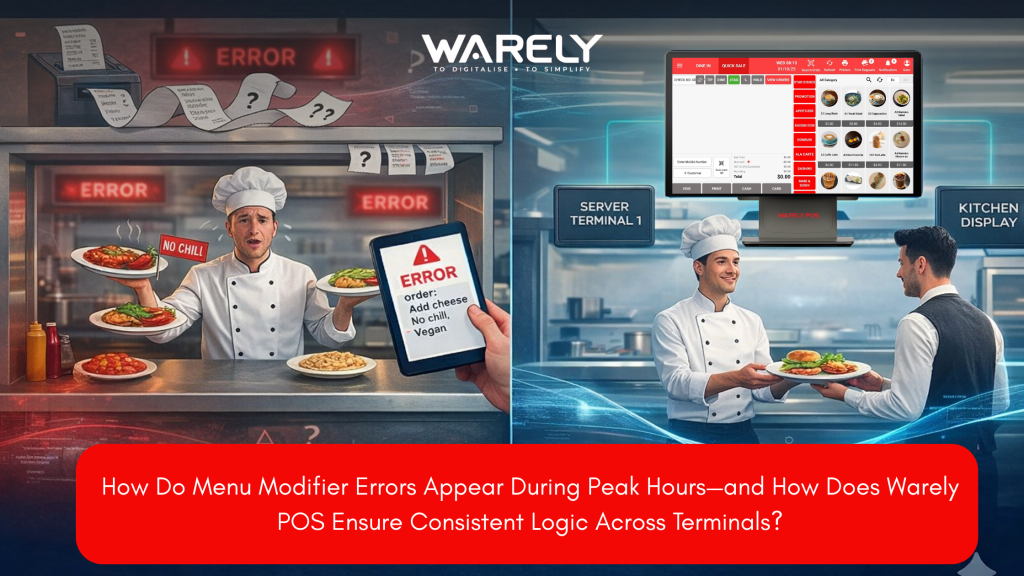
Menu modifier errors often occur during peak restaurant hours when multiple POS terminals struggle to stay synchronized. These mistakes can lead to incorrect orders, food waste, longer service times, and frustrated staff. Warely POS solves this problem with a cloud-native system that keeps menu logic centralized and synchronized in real time across all devices. Using technologies like WebSockets and smart modifier constraints, Warely ensures that every terminal displays the same menu options and prevents impossible orders before they reach the kitchen. The result is faster service, higher order accuracy, and smoother restaurant operations—even during the busiest rush hours.
Contents

CEO, Warely
Read »
How Menu Modifier Errors Happen During Peak Hours | How Warely POS Prevents Them
Introduction: The Peak Hour Nightmare
It is 12:30 PM in the Central Business District. Your restaurant is packed, the queue is out the door, and the kitchen printer is continuously printing tickets. Suddenly, a server runs to the pass: “Table 5 ordered the burger without cheese, but this has cheese!” Food and time are wasted as the kitchen makes a fresh one.Meanwhile, the cashier at Terminal 2 is confused because the “Add Truffle Mayo” button isn’t showing up, even though the manager just added it on the main iPad.
This is the chaos of menu modifier errors. During peak hours, these small technical glitches turn into massive operational headaches. This blog explores why these errors happen and how Warely POS uses advanced cloud logic to stop them before they start.
What Are Menu Modifier Errors?
A “modifier” is any customization to a standard menu item—like “no ice,” “medium rare,” or “change to curly fries.” A modifier error occurs when the Point of Sale (POS) system fails to record, display, or transmit these choices correctly.
Common examples include:
- The Phantom Modifier: A customer asks for “No Spicy,” the cashier keys it in, but the kitchen ticket just prints “Chicken Curry.”
- Pricing Conflicts: One terminal charges $1.00 for an extra egg, while another terminal (that hasn’t updated) charges $0.50.
- Impossible Orders: The system allows a staff member to select “Steamed” and “Fried” for the same dish, confusing the cook.
Why Do Errors Spike When It Gets Busy?
You might wonder why your system works fine at 3:00 PM but crashes at noon. The answer usually lies in local network overload and sync lag.
Legacy POS systems often rely on a “master-slave” architecture where one terminal acts as the server. When transaction volume spikes, that main terminal gets overwhelmed. If a manager updates a menu item (e.g., marking “Avocado” as sold out) on one device, the heavy network traffic prevents that update from reaching other terminals instantly. The result is that staff continue selling sold-out items, leading to awkward apologies later.
The Hidden Cost of “Small” Mistakes
It is easy to dismiss a wrong side dish as a minor issue, but the costs add up fast.
- Food Waste: Every re-cooked dish cuts directly into your profit margin.
- Table Turnover: A mistake adds 10–15 minutes to a table’s stay. In a high-volume lunch rush, that might mean losing the next group of customers.
- Staff Morale: When the kitchen blames the service staff for “wrong entry” and service staff blame the “glitchy system,” a toxic work environment develops.
How Warely POS Handles Modifier Logic
Warely POS approaches menu logic differently. Instead of relying on one physical iPad to “talk” to the others, Warely is cloud-native.
This means the “brain” of your menu lives on a secure cloud server, not on a device in your shop. When you change a modifier rule (like creating a “Lunch Set” that forces a choice of drink), that logic is pushed to the cloud once and instantly broadcast to every terminal, QR ordering phone, and self-service kiosk simultaneously.
Ensuring Consistency Across Terminals
The biggest challenge in a multi-terminal restaurant is version control. How does Warely ensure Terminal A and Terminal B are identical?
Warely pos uses Real-Time WebSockets. Unlike older systems that “poll” or check for updates every 5 or 10 minutes, Warely maintains an open connection. The second a change is saved in the backend:
- The Cloud Server verifies the new logic.
- It instantly “pushes” the update to all active devices.
- If a device is offline, it locks the menu to prevent errors until the connection is restored.
This ensures that a cashier at the counter and a waiter using a handheld device never have conflicting menu options.
Preventing “Impossible” Orders with Smart Constraints
Human error is inevitable during a rush, but your POS should act as a guardrail. Warely POS allows you to set strict Min/Max Logic constraints.
For example, if a customer orders a “Build Your Own Poke Bowl,” you can configure the logic to:
- Require exactly 1 Base (preventing an order with no rice/salad).
- Allow maximum 2 Toppings (preventing under-charging for extras).
- Mutually Exclusive options (making it impossible to select “Hot” and “Cold” simultaneously).
This logic is enforced at the point of entry. The system literally cannot send the order to the kitchen until the modifiers satisfy the rules, effectively blocking user error.
Real Customer Success Stories
One success story comes from a popular CBD lunch spot similar to the frantic scenario described earlier. Before Warely, they faced a high error rate on complex “Mix & Match” salad orders during peak hours. After switching to Warely’s smart modifier system:
- Order accuracy hit 99.8%.
- Transaction speed increased by 30% because cashiers didn’t have to manually type out instructions—they just tapped the pre-set buttons.
- Kitchen confusion dropped to near zero, as the KDS (Kitchen Display System) only displayed valid, logic-checked orders.
Seamless Integration with Kitchen Display Systems (KDS)
Modifiers are useless if the chef can’t read them. Warely’s logic extends to the Kitchen Display System.
Instead of a tiny, cramped paper ticket where “No Nuts” is hidden at the bottom, Warely’s KDS highlights critical modifiers in bold or different colors. It also groups identical items. If three separate tables order “Chicken Rice (No Chilli),” the KDS groups them so the chef can prepare three portions at once without missing the customization.
Get Up to 50% Off with Singapore’s PSG Grant!
Upgrading your POS system to handle this level of complexity sounds expensive, but for Singaporean businesses, it is highly affordable.
Warely is a pre-approved vendor for the Productivity Solutions Grant (PSG).
- The Offer: Eligible SMEs can receive up to 50% funding support for qualifying costs.
- What it covers: This includes the Warely POS software, hardware setups, and the setup of complex menu logic.
- Eligibility: You generally need to be a registered business in Singapore with at least 30% local shareholding.
Warely’s team even assists with the grant application process, making it easier to upgrade your technology without breaking the bank.
Conclusion
Menu modifier errors are not just “computer glitches”—they are profit leaks that damage your reputation. In the heat of a lunch rush, you cannot rely on staff memory or sticky notes. You need a system that enforces logic, syncs instantly, and communicates clearly to the kitchen.
By utilizing Warely POS, you aren’t just buying a cash register; you are installing a smart logic engine that keeps your operations smooth, consistent, and error-free. With the PSG Grant providing 50% support, there has never been a better time to digitize your menu and stop the chaos.
Looking for a complete POS solution?

Related Blogs

 Riya
Riya Read >>
 Riya
Riya Read >>
 Riya
Riya Read >>

31 Woodlands Cl,
#08-04, Woodlands Horizon,
Singapore 737855
Newsletter

Solutions
Company
Insights

 From Singapore