Switching to a new POS system can seem overwhelming—especially when your current setup holds years of vital data such as sales history, customer insights, inventory logs, and pricing structures. Losing this information isn’t an option. That’s why many businesses hesitate to upgrade, even when their existing system is outdated or inefficient.
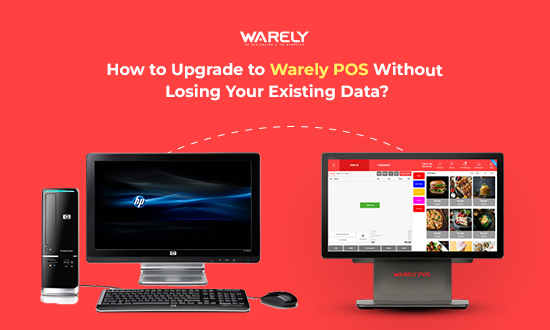
Here’s the good news: with Warely POS, transitioning is completely safe and hassle-free. Our team ensures smooth data migration from your existing POS or manual records, preserving every important detail. No data loss, no downtime, no interruptions to your day-to-day operations.
In this blog, we’ll guide you step-by-step on how to upgrade to Warely POS securely and ensure your business continues running efficiently, all while gaining access to smarter features and faster performance.
Why Smart Businesses Switch to Warely POS
As your business grows, outdated systems start slowing you down—manual updates, missed sales insights, slow billing, limited reporting, and no cloud access. Warely POS eliminates all these challenges, helping you scale confidently with:
✔ Hassle-free data migration
✔ Cloud-based access anytime, anywhere
✔ Multi-outlet management
✔ Live sales & stock monitoring
✔ Built-in CRM & customer loyalty
✔ Payment integration with Soundbox & QR
Seamless Upgrade Process – No Data Loss, No Downtime
1.Review Your Current Data
- Identify key records such as: Sales history
- Inventory
- Customer profiles
- Pricing & SKUs
- User access roles
This helps in preparing the migration structure.
2.Back Up Your Existing Files
- Export your current data from:
- Old POS
- Excel sheets
- Billing/ERP tools
- Manual books
Warely experts will help convert it into a migration-ready format.
3.Clean & Organise the Data
Before importing, ensure data is:
✔ Duplicate-free
✔ SKU standardised
✔ Prices updated
✔ Stock quantities verified
Warely onboarding team assists in this process.
4 Import Safely into Warely POS
Using advanced migration tools, your data is imported with:
- Encrypted transfer
- Real-time sync ·
- Test environment preview
5 .Validate Before Going Live
Check and test:
- Stock accuracy
- Customer details
- Billing flow
- Device/payment integrations
You can run both systems side by side to verify operational readiness.
6 Train Staff & Launch Confidently
Our team trains your staff on:
- Billing
- Order processing
- Reporting
- Menu/stock updates
Go live smoothly without affecting daily operations.
Supported Data Migration Sources
- Source, Migration
- Excel (Manual) Fully Supported
- Previous POS File/API-based
- ERP/Billing Tools Custom integration
- Cloud POS Direct sync
Why Your Data Is Safe with Warely
- Local Singapore-based Support
- Secure Cloud Backup
- Test system access before launch
- Full migration and validation assistance
Conclusion
Upgrading to Warely POS is more than a system replacement—it’s a business transformation. You move to a modern, automated, and scalable platform without losing your historical data. With full migration assistance and secure cloud technology, your POS upgrade is smooth from day one.
Ready to upgrade without the risk? Let’s start your POS migration journey with Warely today!



 Riya
Riya 




 From Singapore